Create Payment Link
Creating a payment link
You can use our REST API to obtain a URL link or QR code that you can share with your customers.
In order to retrieve the payment link for a specific session using your backend service, you need to make a POST request
to /checkout/v1/api/session/{sessionId}/link endpoint with JWT token in the header.
You can specify here:
| Field | Type | Description | Mandatory |
|---|---|---|---|
url |
URL | Provide your payment page URL if you want to use your custom website. Otherwise AltaPay's default payment page will be used. | no |
size |
int | QR Code size in pixels. Default is 500px | no |
validityTime |
int | Time in minutes when the link will be accessible for the customers. Default 14 days. | no |
activationTime |
int | Time in minutes when link will be active once opened by the customer. Default 10 minutes. | no |
 curl --location --request POST 'https://{checkout-api-url}.altapaysecure.com/checkout/v1/api/session/{sessionId}/link' \
--header 'Authorization: Bearer $TOKEN' \
--header 'Content-Type: application/json' \
--data '{
    "url" : "https://www.example.com/link,
    "size": 450,
    "validityTime": 1440,
    "activationTime": 10
}'
Response will contain id, paymentLink and qrCode fields. You can share paymentLink with your customer or
embed the QR code as a pard of the documents (for example invoice) send to your customers.
Expired Payment Link
Once payment link is expired (either validityTime or activationTime is reached) the customer will not be able to proceed with the payment.
You need to create new payment link in order to allow the customer to proceed with the payment.
Payment page
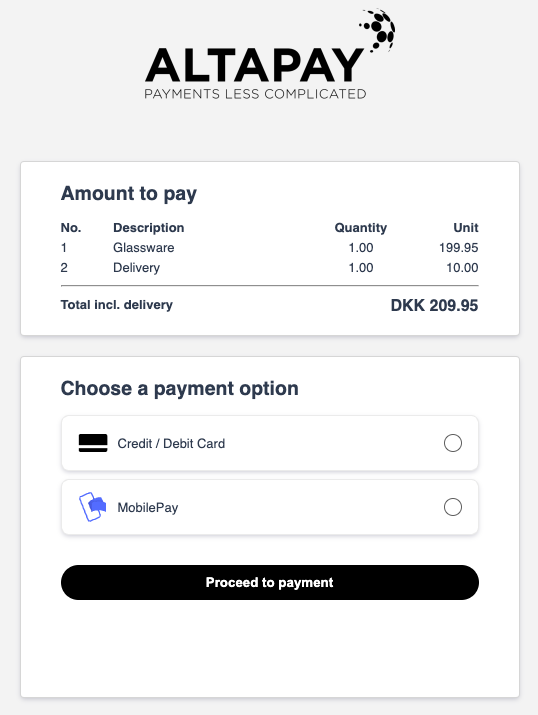
Default payment page
If you don't want to build your own page to handle QR Payments like described here, you can use the default one provided by AltaPay - A MarketPay Company.
Custom payment page
If you wish to build your own payment page please visit Build Your Landing Page to see our guide.